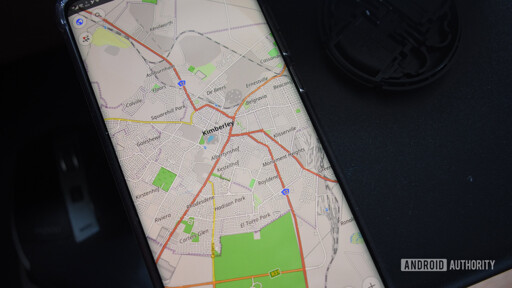
I would probably use CoMaps (especially as they just started adding reviews) instead of OSMAnd, though they’re both good. I’ve also been impressed by the beta of Murena Maps.
The route planning UI Organic Maps added after CoMaps split off is far nicer to me, sadly. That’s what’s keeping me from switching over.
- Pixel Weather -> Weather Master
- Google Clock -> Chrono
- Google Chrome -> Solipsism Browser
- Quickshare -> LocalSend
- Gboard -> Heliboard
- Google Keep -> NotallyX
- Google Tasks -> Tasks.org
- Google Photos -> Lavender Photos
- Google Maps -> OsmAnd
- Gmail -> Thunderbird
- Google Play Store -> Aurora Store
whilst a clock app doesn’t need frequent updates, I font love to see that chronos las commit was two years ago… anyone got a good alternative to recommend?
EDIT: Thank you for your responses. I will likely be keeping BlackHawky/Clock. It is on IzzyOnDroid as well as F-Droid, with recent/active development. It’s UI and config options are nice. But most importantly, to me, its got timer and alarm tiles for the quick settings.
I have looked into Fossify Clock, and whilst a clock app doesn’t really need active development, it being Beta and the last update being nine months old isn’t my favourite combination. Beyond that, it doesn’t come with quick settings tiles.
ClockYou on IzzyOnDroid and F-Droid. It’s good looking, and has active development with an IMO reasonable AI policy. It does however not come with quick settings tiles either.
fossify’s clock is fine
Clock by BlackyHawky is really good imo.
This one is feature rich, beautiful and actively developed, I’ve used it 2 years now: https://f-droid.org/packages/com.best.deskclock/
I use ClockYou and it gets the job done. I would also be happy to know if there’s something better out there.
I dont understand the need for Quickshare/LocalSend. I rarely send files directly to a person near me - though I have occasionally shared a file via NextCloud but it was usually for someone across the net. If its small, like a picture, then its just Signal. And KDE Connect is excellent for sending files between my devices.
Am I missing another use case?
I use it for sending files between devices occasionally. KDE connect has never been reliable when switching between PCs, it will only stay connected to 1 at a time and I have to often manually connect it to the others which is annoying to do.
Its file browser/send feature also feels a bit half-baked and takes more clicks than it should IMO.
I’ve had the same experience with KDE connect. I’ve been using linux since 1998 and still can’t seem to get KDE connect to actually work properly. However, on the other hand local send works perfectly every…single…time… with literally zero effort. I mainly use it to quickly send files back and forth between my PC and phone.
I am using kde connect between a bazzite (desktop) install and a cachy (laptop) and my phone perfectly for the last year Id say. Music control, sending files and timer/alarm status (great for grilling/smoking/baking etc) all working.
It did used to suck bad though. Like really bad lol.
It’ll stay connected to both laptop and desktop at the same time without issues? Does it auto-reconnect quickly when coming back onto your wifi from mobile data too?
Maybe I need to give it another try…
I can’t speak to how long it takes as i usually just set my phone down on the charger when i get home and walk away. I’ve got static IPs for desktop, proper vlans configured. It works over a vpn as well because I’ve used it to find my phone several times when the Wi-Fi was off (vpn auto connects).
I used it just 2 days ago to transfer a folder of old photos between my laptop and my sister’s. Signal would not work, it sucks on pc and its just more annoying to use compared to local send. It’s not gonna be used often like kde connect but it has its place.
It replaced KDE connect for me. It is KDE connect but “intentional” sharing/no link
- Share between windows work computer and phone but only files and not the persistent link
- share between computer and android TV
- share with partner at home without a server (especially scanned documents)
- transfer large files locally between phones (e.g. new phone)
There are definitely more too, but that is quick off the top of my head. It is also much easier for non-tech people to wrap their heads around.
No fossify apps or f-droid?
I don’t use them neither anymore. They were alright 5 years ago but they are like a time capsule. They work as intended but aren’t modern.
They work as intended but aren’t modern.
The lack of a dogshit “modern” UI makes them even better. I don’t need a loading screen morphing into different rounded polygons like I’m a toddler having keys waggled in front of my face for three seconds of loading.
Yes! Give me boring UI please. I don’t want rounded corners or modern crap. I’m annoyed by the new Firefox UI.
Even when it’s really just about the UI but sometimes I feel like stuff gets more bloated when it’s “modern”.
I’m annoyed by the new Firefox UI.
Try Librewolf, you can turn it off in the settings.
I have it but don’t use it enough, not as default. I hadn’t checked if it has the new UI, thanks, Might have to switch default browser.
I don’t even think they’re right, Fossify apps do actually use Material 3/You which has all that dumb stuff. Though they seem to be implementing it in a way that doesn’t feel as bloated yet empty as other Material 3 apps.
bloated yet empty
I could never have put it so succinctly; thank you.
Interesting choice of browser. Solipsism. I’m not interested in the webview variant, so I installed their Antares engine which is based on Servo. Tried it a little bit, but the browser keeps crashing with Antares activated. I’ll check again when it’s more stable.
I’m also not certain that I love their stance on AI and AI contributions
AI is the compiler of natural language.
That’s a very worrisome position. If “AI is the compiler” that means the source code is your prompts/chats and the stuff in the repo is just build artifacts.
That genuinely such a funny take that I didn’t even consider.
I’m stealing that phrasing from you for sure.
Thanks. You saved me of slop.
Thanks. I missed that. Because they didn’t disclose it…
I’ve never heard of Antares, but yeah servo isn’t really ready for general use yet. I’ve never had servoshell just crash, but there’s a lot of websites it doesn’t display correctly yet.
Can’t wait for the day I can fully switch to a browser using servo.
Any tips on a “grocery list” app to replace Keep? Need something that can sync between mine and my wife’s phones - E2EE nice to have but not strictly required.
A lot of the Keep replacements I see posted are just fancy text editors full of markdown formatting junk and I just want a good working checklist that moves checked items away.
A lot of the Keep replacements I see posted are just fancy text editors full of markdown formatting junk
Keep is specifically for taking notes, not just for grocery lists. But personally, I use Obsidian.md with a specific note full of checkboxes, and use SyncThing to sync the folder/vault between devices. That being said, since you don’t want markdown you probably wouldn’t be interested in it
Unfortunately Obsidian is proprietary
True, but the alternatives all either suck or are coded with AI
IMO insisting that free software options be “no-AI” while accepting proprietary stuff is backwards. In the proprietary world it’s the norm that as the end-user you aren’t entitled to know how the software is built, because that’s considered a secret. Your favorite proprietary developers could be using “AI” and you’re not supposed to know about it. In the proprietary world as long as it looks good and does what you want it to do it doesn’t matter how it’s implemented.
If you’re insisting on being free of “AI” then as a consequence you have to insist on at least source-availability. As far as I know Obsidian isn’t even that.
I really like koffan.
I just started using KitchenOwl for this. It can be a little clunky, but it suits my purposes well.
Pros:- self hostable
- multiple grocery lists
- categories and sorting are customizable (so I can put the categories in the order I shop in)
- sync across devices near instantaneous
- web and desktop interface
Cons:
- can be a little slow to add items. You can’t just add text, you have to wait until the search is complete
- does not automatically combine the same item together
- occasionally when I switch to the app and mark an item complete, it doesn’t take. Only happens on the first item on open and I just click it away again, so not a huge deal.
I softly suggest using a messaging app for this, like a signal thread where you delete items as they’re picked up.
Or you could just make a poll in signal, then just “vote” the items to check them off.
Can signal handle separate conversations between two people? Wouldn’t want to clutter our texts with a grocery list.
Yeah you can make a new group chat that just has the two of you, so it would be separate from your other chat.
I went on a similar search when I ditched big tech a few years ago. I tried most of the options that were available at the time but I’m sure the landscape has changed now.
I’ve been happy with the shopping list manager built into https://github.com/TandoorRecipes/recipes with https://github.com/kitshn-app/kitshn
Nice. I’m trying Heliboard, Aurora, lavender and Breezy weather, which was mentioned in the article, but not on the list.